
iPhone & iPad
Plug in over USB and copy your camera roll — HEIC photos convert to JPEG automatically.
Getting iPhone photos onto a Windows PC has always been a hassle—iTunes, drivers, HEIC files that won't open. PhotoPiper skips all of it. Plug in your phone or insert a card, and your photos land in any folder you choose—converted to JPEG so they actually open. No iTunes, no drivers, no iCloud, no account.
Download for Windows (x64) Windows on ARM (ARM64)
$19.99 one-time — no subscription. Free 5-day trial first: up to 100 photos a day, no account needed.
Native Windows app for Windows 10 & 11, on both Intel/AMD (x64) and ARM.
Signed by a verified publisher. The Microsoft Store version adds sandboxing, automatic updates, and no SmartScreen prompt.
Three ways to get your photos onto your PC — connect a phone over USB or pop in a memory card.
Plug in over USB and copy your camera roll — HEIC photos convert to JPEG automatically.
Connect any Android device over USB and pull photos and videos straight from its DCIM folder.
Insert an SD card from your camera or a card reader and import every shot in one pass.
Your laptop's drive fills up fast — a few thousand photos and it's gone. PhotoPiper copies to any folder you pick, so plug in an external hard drive, an SSD, or a USB stick and send the camera roll there instead. No extra hardware to buy, no photo-stick dongle, no cloud account.
Choose a folder on your external drive as the destination and photos copy there directly — your PC's drive stays untouched.
HEIC converts to JPEG on the way, so the photos you park on a drive today will still open on any computer years from now.
Duplicate detection means you can plug the same drive in next month and only the new photos get added.
PhotoPiper walks you through the whole transfer with clear progress at every stage — no guesswork, no frozen imports.
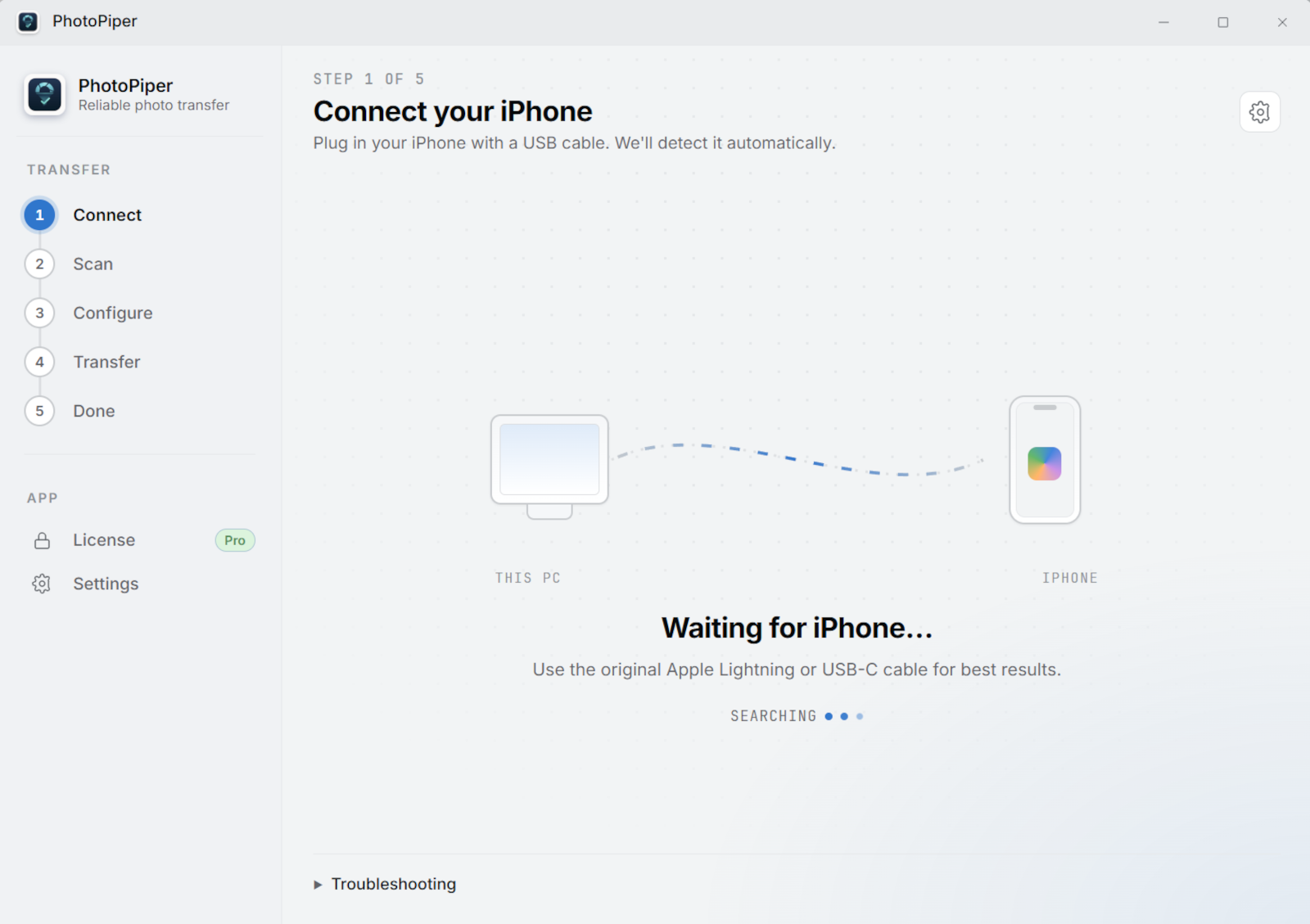
Plug in your iPhone or Android phone over USB, or insert an SD card — PhotoPiper detects it automatically. Use the original cable for best results.
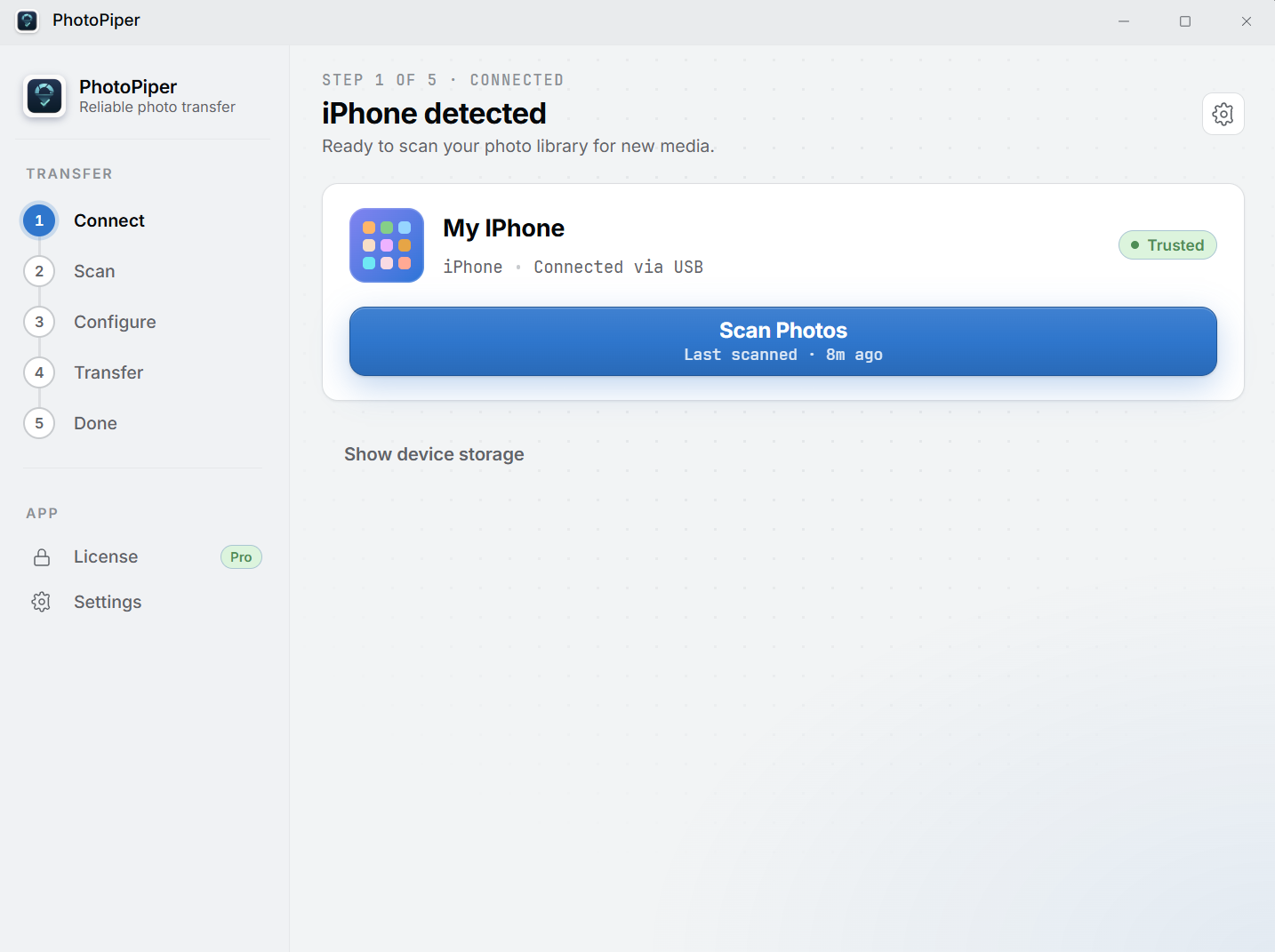
Your device shows up ready to scan — trust the PC on a phone if prompted. One click starts indexing your photos.
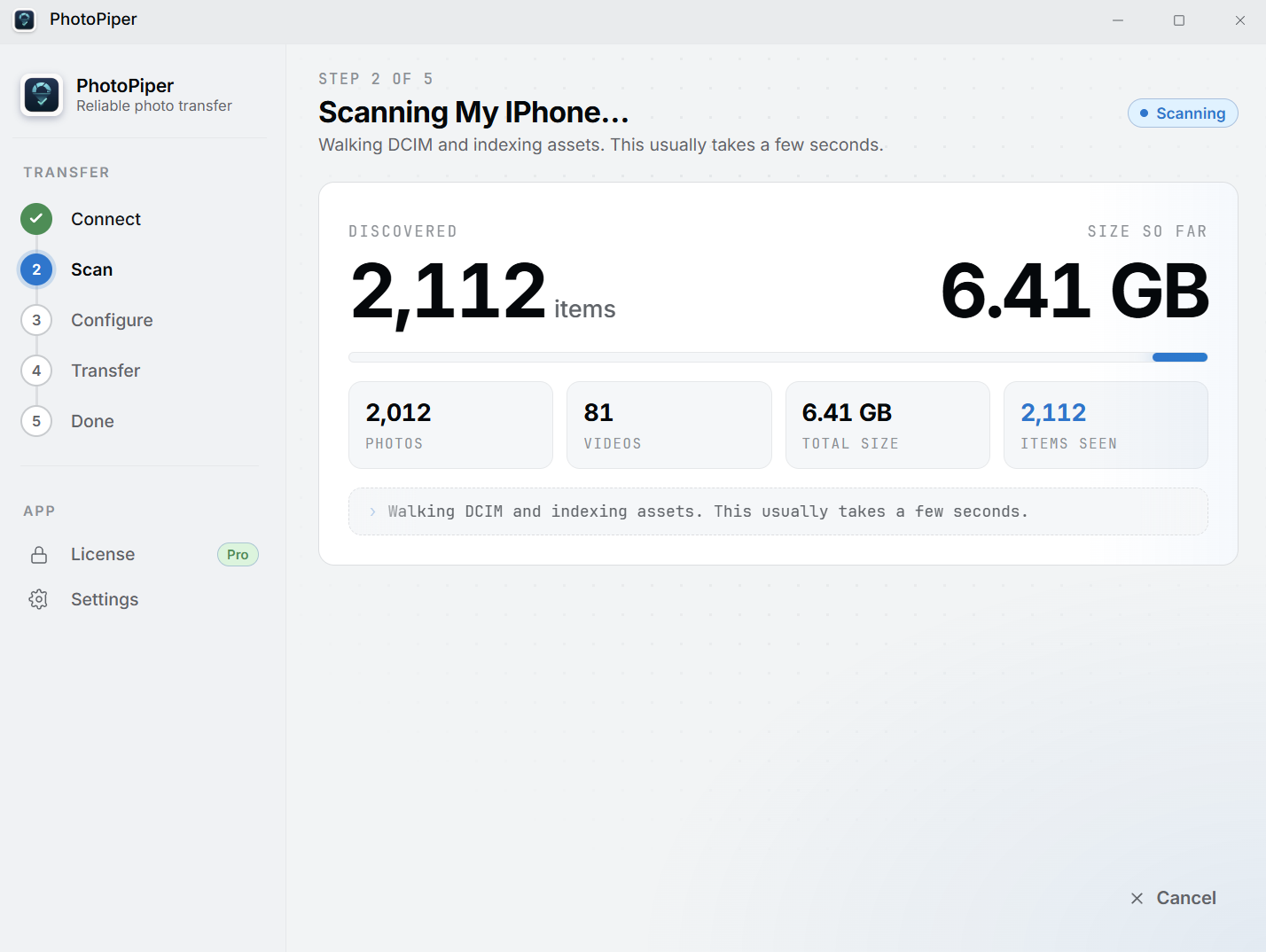
PhotoPiper walks the DCIM folder and counts every photo and video — see the total size before anything is copied.
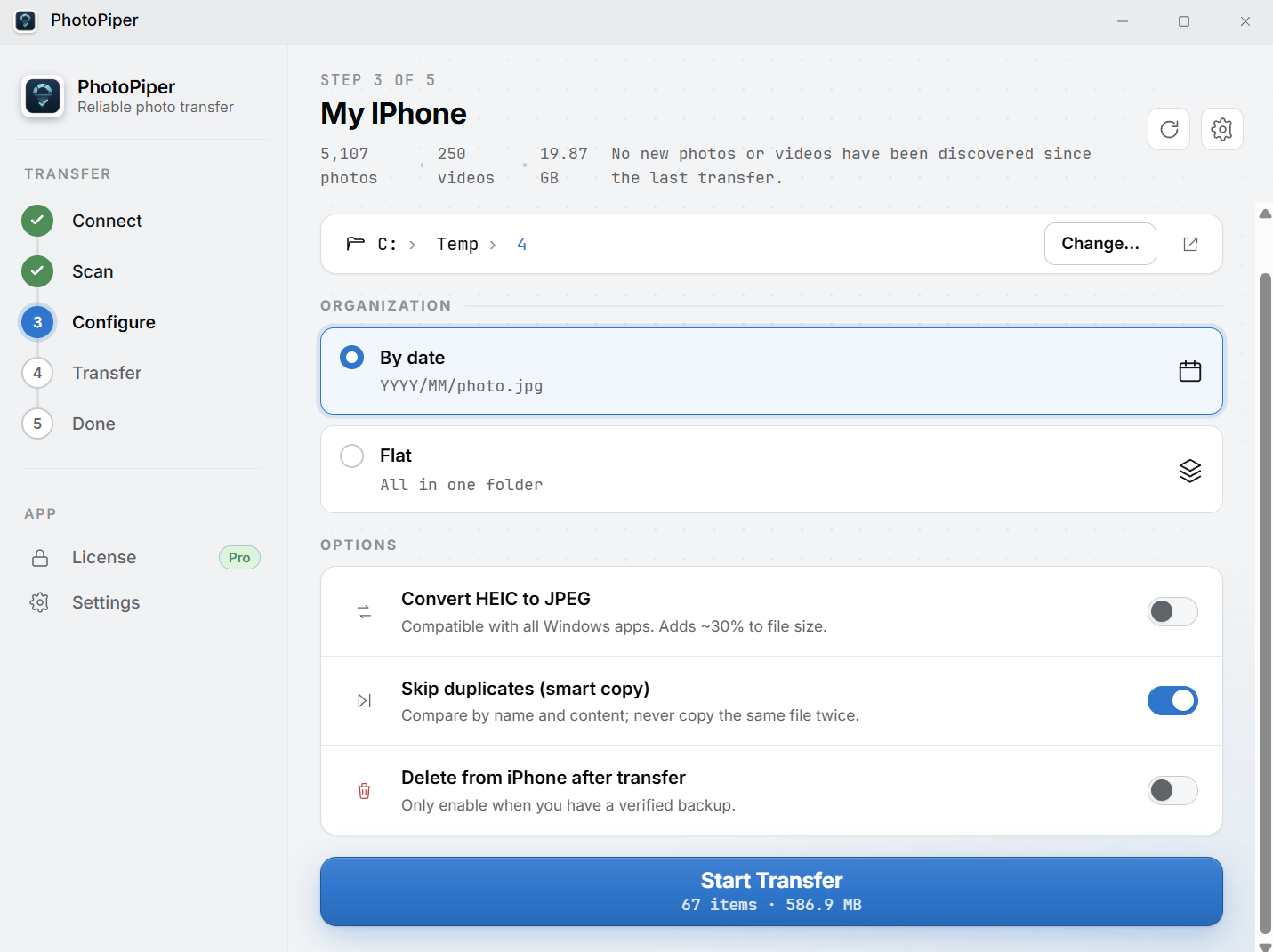
Pick a destination folder, organize by date or keep it flat, convert HEIC to JPEG, and skip duplicates so nothing is copied twice.
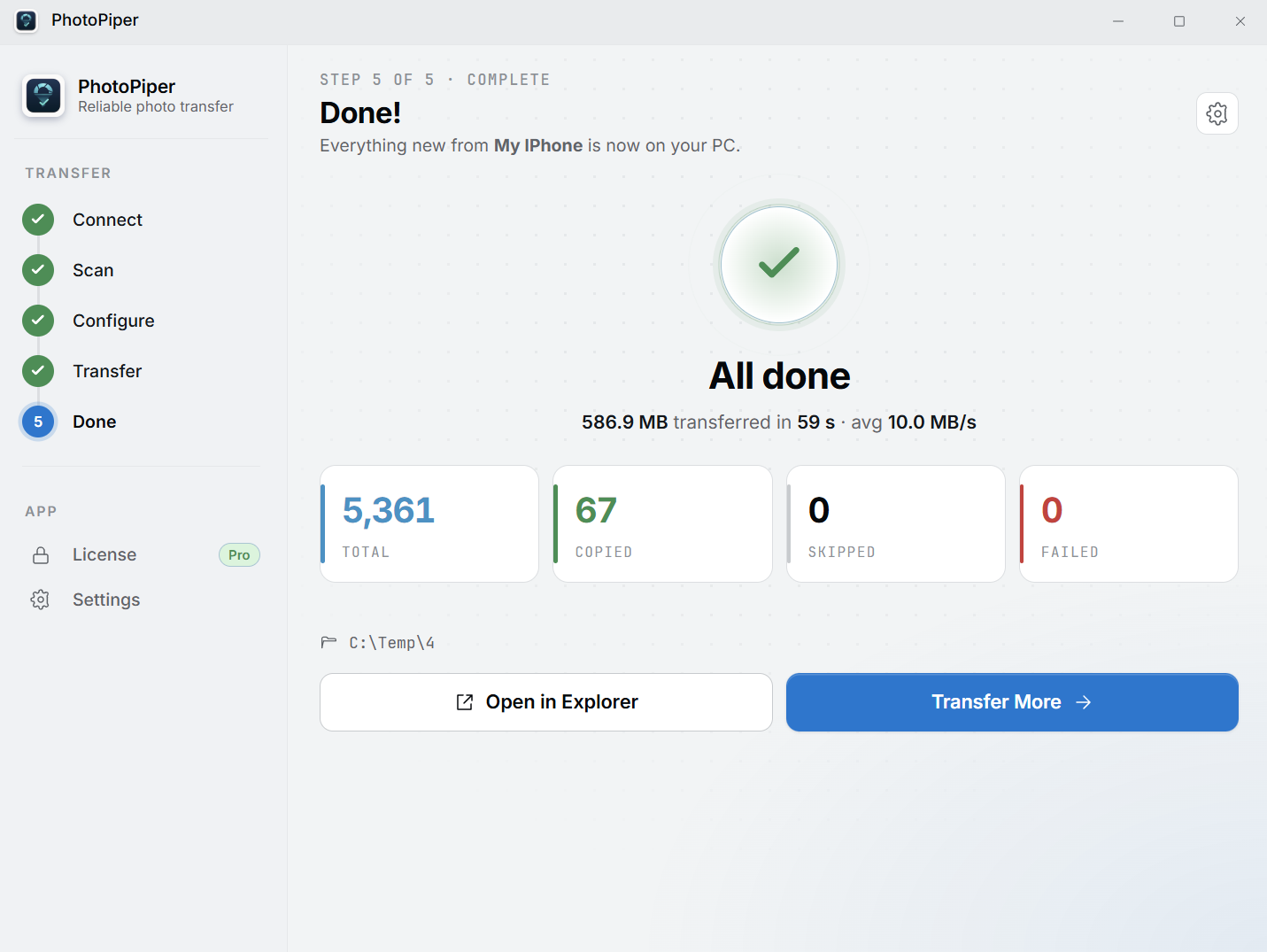
Watch real-time counters for copied, skipped, and failed files. When it's done, open the folder in Explorer and you're set.
Import from iPhone, Android phones, and SD cards over USB — one app for every source, no cloud account required.
Real-time counters show indexed, copied, skipped, and failed files. No more wondering if it actually worked.
Convert HEIC to JPEG during transfer so your photos open in any Windows app, with no compatibility headaches.
Automatic YYYY/MM folder structure keeps your library organized — or keep everything flat in one folder.
Smart duplicate detection compares by name and content. Run transfers regularly — only new photos get copied.
A fast, native Windows 10 & 11 app for both x64 and ARM devices. No iCloud, no bloat.
Unlike wireless transfer tools, PhotoPiper needs nothing installed on your phone and no shared network. A USB cable won't drop halfway through 8,000 photos—built for large libraries that have to arrive in full.
It's a one-time $19.99 purchase—no subscription, and local taxes may apply at checkout. The 5-day trial moves up to 100 photos a day so you can try it on your own library first.
No. PhotoPiper copies photos straight from your iPhone over USB. No iTunes, no Apple drivers, no sign-in.
Yes. Photos move directly from your device to your PC over the cable—nothing goes through iCloud or any cloud account.
iPhones save photos as HEIC, which Windows can't open without an extra paid codec. Turn on HEIC → JPEG and PhotoPiper converts each photo as it transfers, so they open in any Windows app.
Yes. The installer is code-signed by a verified publisher, so there's no "unknown publisher" warning. The Microsoft Store version is additionally sandboxed and auto-updating, with no SmartScreen prompt—the smoothest option if you'd rather skip any first-run warnings.
Yes. PhotoPiper ships a native ARM64 build alongside x64—no emulation—so it runs natively on Snapdragon and other ARM Windows devices.
Yes. Connect any Android phone over USB and PhotoPiper imports photos and videos straight from its DCIM folder—same workflow as iPhone.
Yes. Insert an SD card or card reader and PhotoPiper imports every shot in one pass—handy for camera cards, not just phones.
Yes. Pick a folder on the external drive as the destination and photos go there instead of your PC's internal drive — useful when your laptop is short on space or you're archiving a large library.
No. PhotoPiper works with any drive Windows can see — an external HDD, an SSD, a USB stick, or an SD card reader. All you need is a USB cable for your phone.
Connect your phone or insert an SD card and copy your first photos in minutes.
Windows 10 or 11. Pick x64 for Intel/AMD PCs, or ARM64 for Windows on ARM devices (e.g. Snapdragon).
Download for Windows (x64) Windows on ARM (ARM64)
$19.99 one-time — no subscription. Free 5-day trial first: up to 100 photos a day, no account needed.
Signed by a verified publisher. The Microsoft Store version adds sandboxing, automatic updates, and no SmartScreen prompt.