
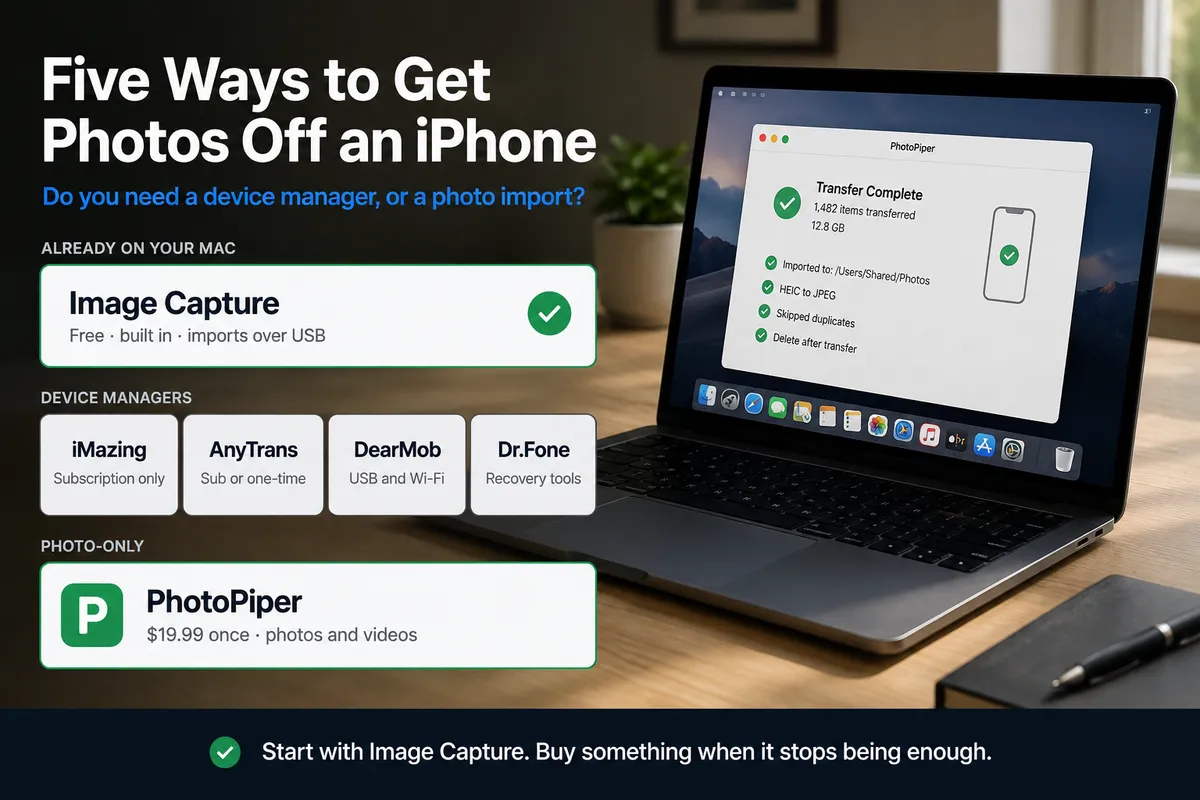
Short answer: start with Image Capture. It’s already on your Mac, it’s free, it imports over USB into any folder you pick — including one on an external drive — and for an occasional transfer it’s the right answer. Everything else on this page exists to fix one of its three gaps: it doesn’t remember what it already copied, it doesn’t convert HEIC, and it has no idea how to resume when a big transfer dies halfway.
What you buy to fix those gaps depends on a single question: do you need a device manager, or a photo import? iMazing, AnyTrans, DearMob and Dr.Fone are device managers — photos are one item on a list of fifteen. If the only recurring job is emptying the camera roll, you’re buying a workshop to hang one picture.
Disclosure: we make PhotoPiper, the photo-only option below. Treat what we say about our own product as a vendor describing itself, and check the vendor links for the rest. Prices and features are as of September 2026 and all of them change.
Start here: Image Capture
It ships with macOS, it’s in your Applications folder, and most guides skip past it far too quickly.
Connect the iPhone over USB, unlock it, open Image Capture, pick a destination folder at the bottom of the window, and click Import All. The destination can be an external drive. Files land as plain files. There is no library format, no account, no subscription, and no upsell.
What it doesn’t do:
- No memory between sessions. Every import treats the whole camera roll as new. Run it monthly and you re-copy everything, or you sort it out by hand.
- No HEIC conversion. You get the originals, which is correct for archiving and wrong the moment you hand the drive to a Windows machine.
- No date folders. Everything lands in one directory, named
IMG_4782and friends. - No resume. It’s widely reported to stall on large libraries, and when it does you’re left working out what arrived.
If you transfer a few hundred photos now and then, stop reading — Image Capture is enough and the rest of this page is a solution to a problem you don’t have.
What the other four actually are
iMazing (DigiDNA) is the full iOS device manager: photos, messages, WhatsApp, contacts, backups, app data, file system access, device supervision. It’s genuinely good software and the deepest of the group. Note the licensing change — in June 2025 DigiDNA discontinued the perpetual device licence and now sells subscriptions only, with a personal subscription covering up to 20 devices per year.
AnyTrans (iMobie) is the same category with a lighter touch — photos, music, video, contacts, backups, plus transfers between iOS, Android and cloud accounts. It sells a 1-year subscription, a one-time purchase, and family and business licences; check current prices on iMobie’s own store, since the tiers move with promotions.
DearMob iPhone Manager (Digiarty) is an iTunes replacement handling 15+ file types — photos, video, music, contacts, calendars, SMS, apps, books, voice memos, ringtones. It encrypts backups, converts HEIC to JPG, and is the only one here with Wi-Fi transfer as well as USB. It also runs on macOS 10.9 or later, which is unusually far back.
Dr.Fone (Wondershare) grew out of data recovery. Dr.Fone Basic covers phone management and transfer across iOS, Android, iCloud and iTunes, plus one-click backup and screen mirroring; recovery, system repair and screen unlock are separate paid modules above it. The recovery side is the reason to choose it.
PhotoPiper does photos and videos, from an iPhone or iPad, on a Mac. It doesn’t touch contacts, messages, music or backups, and it won’t.
Licences
| Model | Notable terms | |
|---|---|---|
| Image Capture | Free, built into macOS | — |
| iMazing | Subscription only since June 2025 | Personal subscription covers up to 20 devices per year |
| AnyTrans | 1-year, one-time, family, business | Tiers vary by promotion — check the store page |
| DearMob | $39.95 lifetime, 1 computer (list $79.95) · $29.95/yr, 3 computers · $59.95 family, up to 5 | Mac and Windows sold separately |
| Dr.Fone Basic | $49.95 perpetual (list $69.95) · $39.95/yr (list $55.95) | One licence covers Mac and Windows; 2 computers, up to 5 devices |
| PhotoPiper | $19.99 one-time | Free with a 100 photos/day limit, all features |
Two things that table hides. The DearMob and Dr.Fone prices are promotional — both vendors show a struck-through list price around 40% higher, and that’s what you pay if you land on the page on the wrong day. And Dr.Fone’s single licence covering Mac and Windows is a real advantage in a mixed household; DearMob sells the two separately, and so do we.
”Which one auto-detects duplicates?”
All five answers to that question are different, and the distinction that matters isn’t whether a tool has the feature — it’s what it compares against.
- Nothing. Image Capture. Every session starts from zero.
- The destination folder. Scan what’s already in the target directory and skip matches. Works until you move or rename the files.
- A catalog of what it transferred. The tool remembers each photo it has taken off this device, so a second run offers you only what’s new — independent of where you later filed the results.
The four managers all advertise duplicate handling; we haven’t taken any of them apart, so we won’t tell you which method each uses. What we can describe is our own, since you can check it against the behaviour:
PhotoPiper builds a fast fingerprint from file size, capture time and filename to do the first pass, then settles anything ambiguous with a full BLAKE3 checksum. It also records the checksum of the original alongside the file it wrote, so a photo that went across as a converted JPEG last month isn’t offered to you again this month as a HEIC. Every written file is verified by checksum — a progress bar reaching the end isn’t proof the bytes arrived.
If duplicate prevention is the whole reason you’re shopping, that comparison target is the question to ask any vendor before paying.
Why there are no transfer-speed numbers here
You’ll find comparison articles quoting figures like “2.2 GB/min versus 1.5 GB/min” for these tools. Treat them carefully — including when they’re about us.
We haven’t benchmarked the other four, so we won’t publish numbers for them. And the physics caps everyone at the same ceiling: every Lightning iPhone and every non-Pro USB-C iPhone speaks USB 2.0, around 20–40 MB/s in practice. Only the Pro models from the iPhone 15 onward do USB 3, and only with a cable that supports it. No software gets round that. A tool claiming to move a 47 GB library in 18 minutes is claiming 44 MB/s sustained — at or past the limit of the connection, not a feature of the app.
What software does change is what happens when the transfer dies at photo 6,000 of 12,000, and whether the next run copies those 6,000 again. That’s worth comparing. Peak throughput isn’t.
Picking one
Stay with Image Capture if you transfer occasionally, don’t mind HEIC, and are happy sorting files yourself.
Buy a device manager if any of these is true:
- You need messages, contacts, WhatsApp history or app data off the phone, not just photos.
- You want encrypted local backups of the whole device.
- You’re rescuing something — deleted data, a phone stuck in recovery, a forgotten passcode. That’s Dr.Fone’s home ground and no photo tool touches it.
- You’re on Windows and Mac both — Dr.Fone’s one licence covers the pair.
- You’re on an older Mac. DearMob goes back to macOS 10.9. This is the one that quietly disqualifies us for a lot of people: PhotoPiper 2.11 needs macOS 15.2 or later, so if your Mac stopped getting updates, DearMob works and we don’t.
- You want Wi-Fi transfer as an option. DearMob has it; we deliberately don’t.
- You manage a lot of devices — iMazing’s personal subscription covers up to 20 a year.
A photo-only tool is enough if:
- The recurring job is the camera roll and nothing else.
- You do it repeatedly, and what you want is for it to not re-copy what it already took.
- You want plain files in dated folders, not a backup blob.
- You’d rather pay once, at the low end, than hold another licence.
If that second list is you but you’re on a PC — PhotoPiper for Windows is the same idea, and it reads Android phones and SD cards too.
What PhotoPiper is, specifically
So you can check the claims rather than take them:
- $19.99, one-time, an in-app purchase on the Mac App Store. Free with a limit of 100 photos per day, resetting at midnight UTC, every feature unlocked.
- macOS 15.2 or later. App size 4.7 MB.
- USB via ImageCaptureCore — the framework Image Capture itself uses. No iTunes, no drivers. A second source reads the photo library on your Mac and downloads originals iCloud has offloaded, for photos that aren’t on the device any more.
- Every file verified by checksum (BLAKE3) after it’s written.
- Duplicate skipping across runs, as described above.
- HEIC → JPEG during transfer, quality 0.94, EXIF and GPS carried across.
YYYY/MMfolders, or flat. Those are the two options.- Interrupted transfers resume; already-written files are skipped.
- Deleting from the device after a verified transfer is optional and off by default — and it is never applied to your Mac’s own photo library.
The limits, in the same place: Mac only, photos and videos only, USB or your own photo library only. No Wi-Fi, no contacts, no messages, no backups, no recovery.
FAQ
Which is best for Windows? Not PhotoPiper for Mac — it doesn’t run there. Among the managers, Dr.Fone’s single licence covering Mac and Windows is the better deal for a mixed household; DearMob sells its Windows version separately. For the photo-only approach on a PC, that’s PhotoPiper for Windows.
Is Image Capture really good enough? For an occasional import, yes, and anyone telling you otherwise is selling something. It stops being enough when you’re doing this repeatedly, when a transfer keeps dying partway, or when you need JPEGs rather than HEIC.
Do any of these need iTunes installed? PhotoPiper doesn’t — it uses macOS’s own ImageCaptureCore, and iTunes doesn’t exist on modern macOS anyway. Check each vendor’s current requirements for the rest rather than trusting a comparison table, this one included.
Can I try before buying? PhotoPiper: 100 photos a day, free, all features. The others offer trials or limited free versions. Run the trial on your actual library rather than on twenty photos — the failures that matter only appear at scale.
Is a subscription ever right here? For a job you do four times a year, rarely. DearMob, AnyTrans and Dr.Fone all sell a one-time licence alongside the yearly one; iMazing no longer does. Check what “perpetual” covers — with Dr.Fone it’s the version you bought, not every future major release.
I just want photos onto an external drive. You may not need any of this. Here’s how, on a Mac, including the free built-in route.